Agency Profile
The Agency Profile page is where administrators manage the organization’s identity and public-facing details—things like agency name, contact info, timezone, address, branding, and tax exemption status.
If you’re looking for feature toggles, specialties, storage settings, or notification defaults, go to Agency Settings instead.
Accessing Agency Profile
To edit your agency's profile information:
- Use the left-hand navigation menu.
- Expand the Agency section and select Agency Settings.
- In the settings sidebar, expand Organization.
- Select Agency Profile.
You must have Administrator permissions to edit agency profile fields.
The Agency Info tab on the Dashboard shows a read-only view of the same fields — useful for a quick at-a-glance, but all changes are made through Agency Settings.
👉 Not sure where to start? Follow Agency Getting Started.
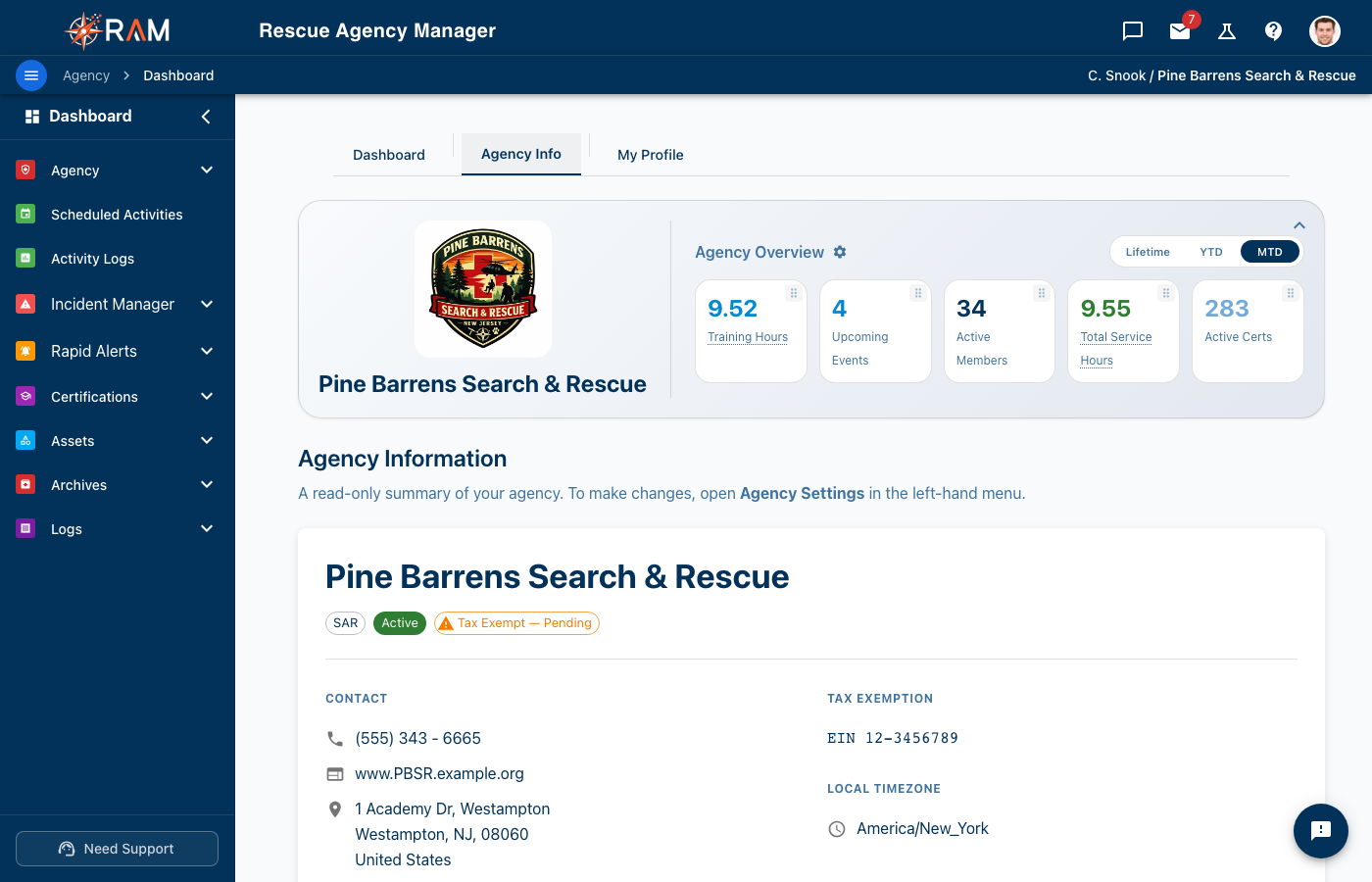
The Agency Info tab on the dashboard shows a read-only summary — name, type, contact details, tax-exemption status and timezone. To change any of it, open Agency Settings from the left menu.
Agency Information
- Agency Name — Your organization’s official name
- Display Name — Optional shorter name used throughout the UI
- Agency Type — Search & Rescue, Fire Department, EMS, etc.
Contact Information
- Email — Official agency email address
- Phone — Primary phone number
- Website — Organization website URL
Location and Timezone
-
Timezone — Used for:
- Date/time displays
- Notification timing
- Activity and audit logs
Make sure this matches your agency’s operating timezone.
-
Address — Headquarters or primary operating location
Branding
Agency Profile Image / Logo
Your agency profile image can be used in:
- Navigation bar
- PDF reports and exports
- Shared materials where agency identification matters
Recommendations:
- PNG, JPG, or SVG
- Minimum 200×200
- Keep file size reasonable for fast loading
Tax Exemption Status (if applicable)
If your agency is tax-exempt, you can store tax details here.
- Tax Exemption ID (EIN) — Enter your EIN in the required format
XX-XXXXXXX - Tax Exemption Document — Upload your IRS/state tax exemption documentation
If your agency marks itself as tax-exempt, RAM may require both an EIN and a supporting document.
Each EIN can only be registered to one active agency. If you try to save an EIN that another agency is already using, you'll see this error:
This tax-exempt ID (EIN) is already registered to another agency. If you believe this is a mistake, please contact RAM support.
This usually means one of the following:
- The EIN was typed in by mistake — double-check the number on your IRS determination letter.
- The EIN belongs to a related but separate agency that's already using RAM. Two distinct agencies cannot share one EIN; if you operate multiple chapters under the same parent, contact RAM support to discuss the right structure for your organization.
- A duplicate registration exists in error. Reach out to RAM support and we'll help reconcile the records.
Whitespace at the start or end of the field is automatically trimmed, so leading/trailing spaces won't cause confusion.