My Profile
Your profile contains your personal information, emergency contacts, and qualifications. Keeping this information current helps your agency stay organized and ensures you can be reached in emergencies.
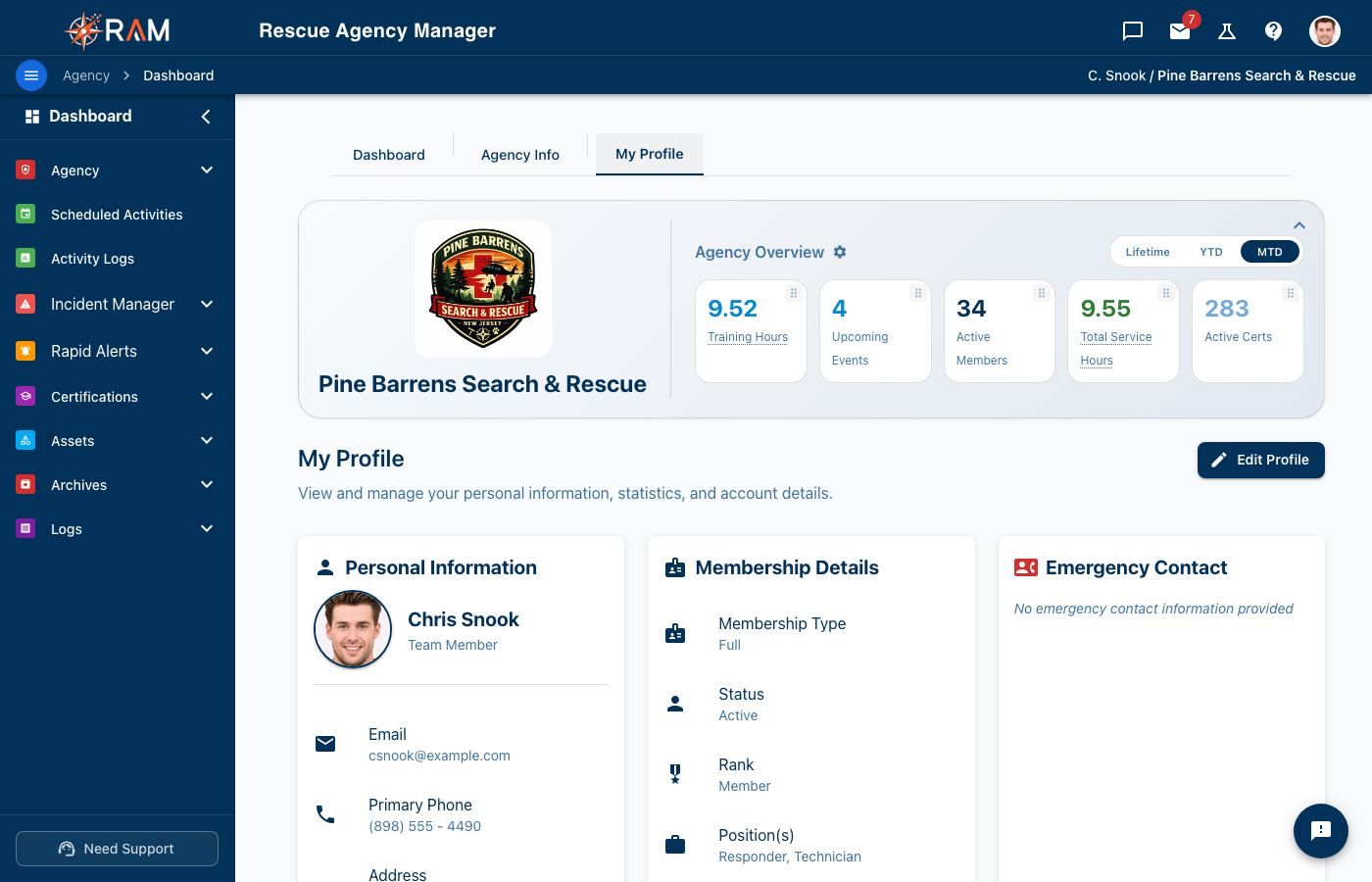
Accessing Your Profile
- Click your username or profile icon in the top-right corner
- Select My Profile from the dropdown menu
- Or click My Profile in the left sidebar
Profile Information
Basic Information
| Field | Description |
|---|---|
| First Name | Your legal first name |
| Last Name | Your legal last name |
| Your login email (contact admin to change) | |
| Phone | Primary contact number |
| Address | Home address |
Editing Your Profile
- Click the Edit button on your profile
- Update the fields you need to change
- Click Save
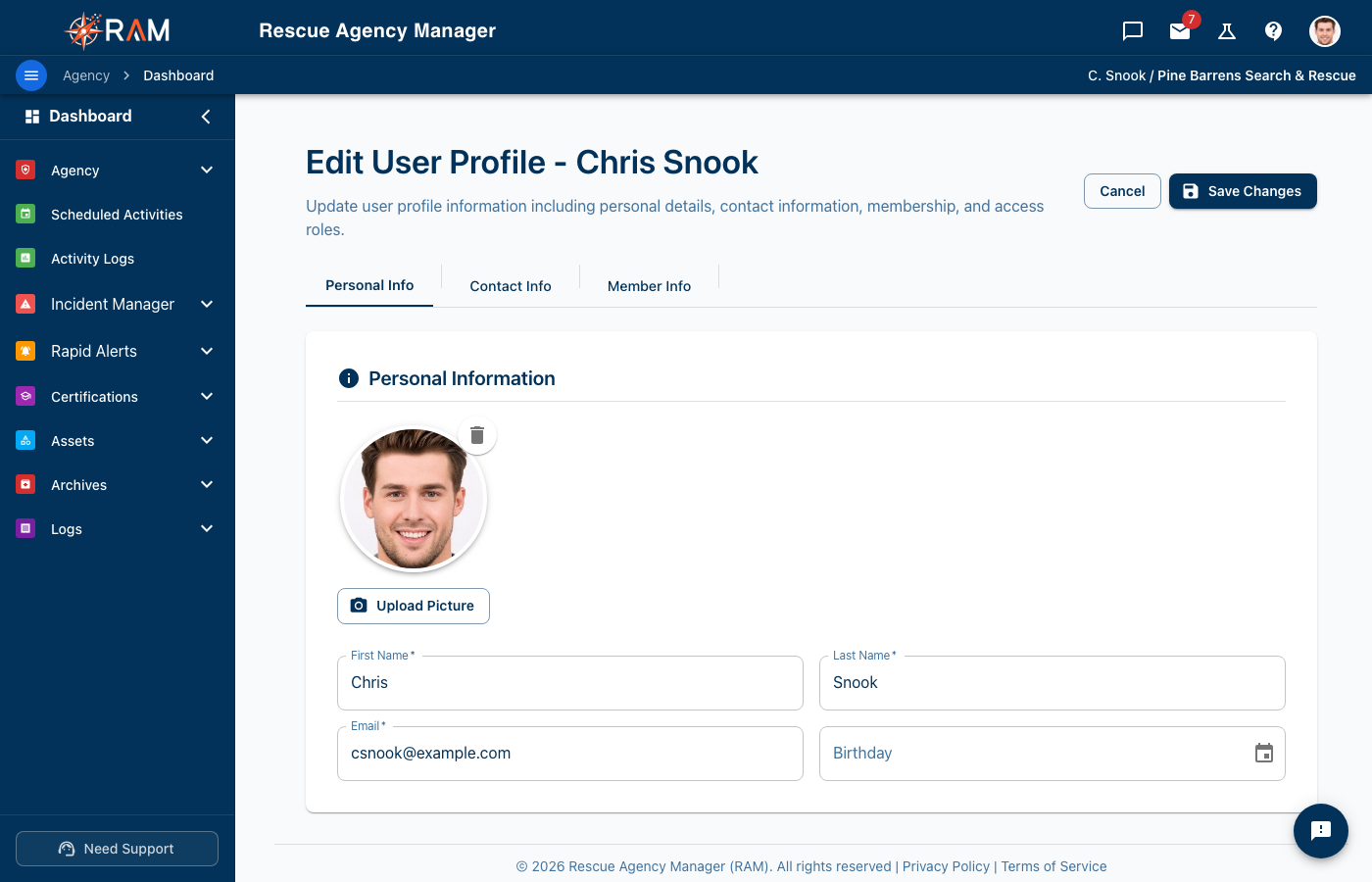
Keep your phone number and address current — this information may be used for emergency callouts.
What Happens to Your Profile If You Leave
If your agency removes you from its roster, your account is archived, not deleted:
- Your service record — the incidents you were on, your hours, your certifications — stays with the agency, with your name on it. That is the agency's record.
- Your personal details — home address, phone numbers, date of birth, emergency contacts, photo — are removed after a period your agency sets (one year by default).
- If you come back, an admin restores you onto the same record. You'll be invited to sign in and fill in your profile again; your history is still there.
You can ask your agency administrator to delete your account entirely, history included, at any time.
Emergency Contacts
Emergency contacts are critical for rescue organizations. Add multiple contacts with complete information.
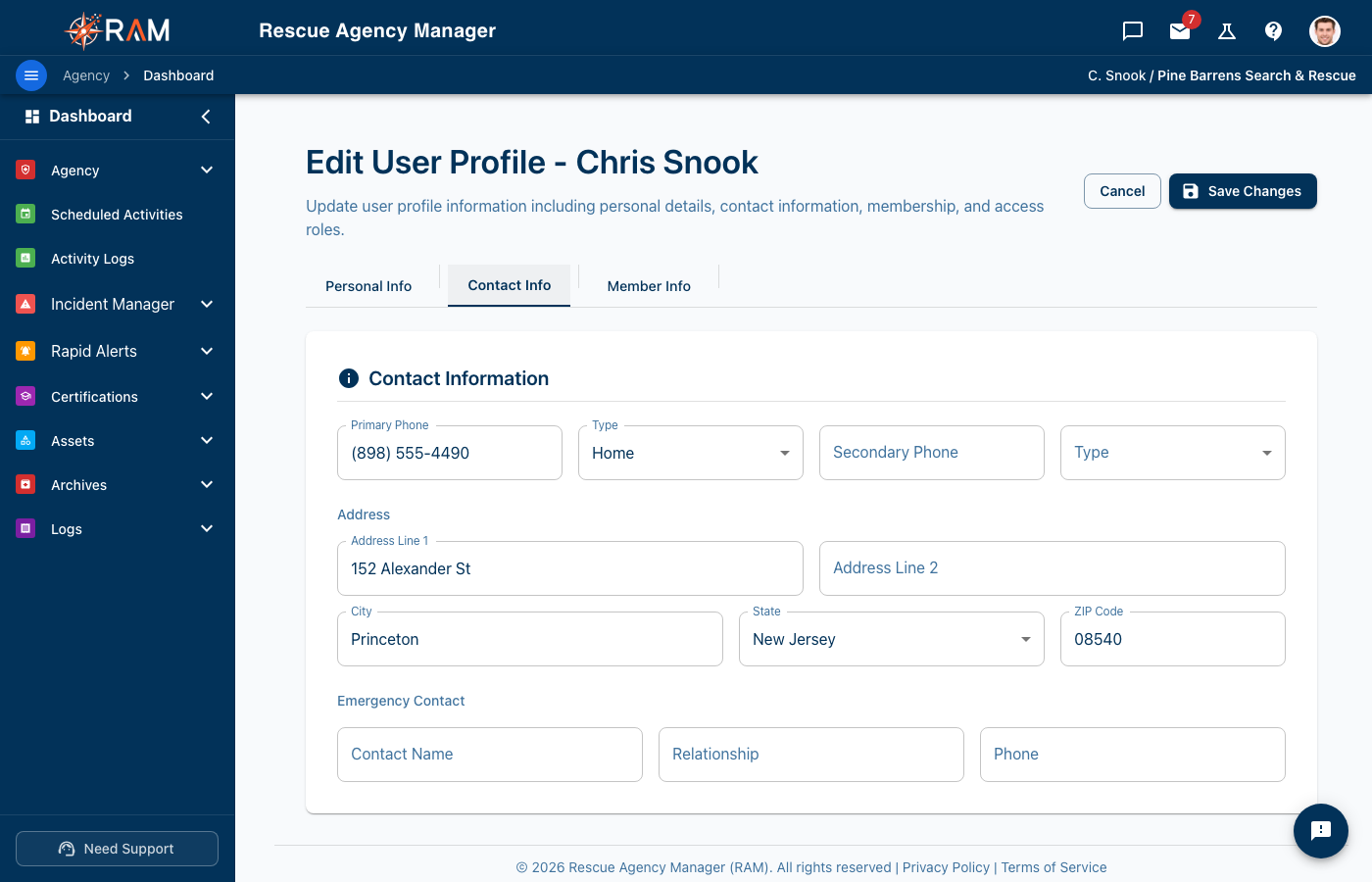
Adding an Emergency Contact
- Go to the Emergency Contacts section
- Click Add Contact
- Enter:
- Contact name
- Relationship (spouse, parent, friend, etc.)
- Phone number(s)
- Email address (optional)
- Save
Best Practices
- Add at least two emergency contacts
- Include contacts who are usually reachable
- Verify phone numbers are correct
- Update if contact information changes
Profile Photo
A profile photo helps team members recognize you.
Uploading a Photo
- Click the profile photo placeholder or edit icon
- Select an image from your device
- Crop if needed
- Click Save
Photo Guidelines
- Clear, recent photo of your face
- Professional appearance preferred
- Formats: JPG, PNG
- Will be cropped to a square
Qualifications & Specialties
This section shows your skills and operational roles.
Specialties
Specialties are assigned by your administrator based on your certifications:
- K9 Handler
- Medical Officer
- Team Leader
- Rope Technician
- etc.
You cannot add specialties yourself — they're based on your qualification status.
Skills & Languages
Some agencies allow you to add:
- Special skills
- Languages spoken
- Other qualifications
Viewing Your Certifications
Quick access to your certifications is available from your profile:
- Go to My Profile
- Find the Certifications section
- See your current certification status
- Click to view full details
For complete certification management, see My Certifications.
Account Security
Changing Your Password
- Go to Settings → Change Password (or find it in your profile)
- Enter your current password
- Enter your new password
- Confirm the new password
- Click Save
For detailed password information, see Account Settings.
- Minimum 10 characters
- At least one uppercase letter (A-Z)
- At least one lowercase letter (a-z)
- At least one number (0-9)
- At least one special character (!@#$%^&*)
Assigned Items
Your profile may show items assigned to you:
Assigned Assets
Equipment currently checked out to you:
- Asset name and ID
- When assigned
- Quick link to return
Assigned Animals
If you're a handler for working animals:
- Animal name and photo
- Your role (Primary/Backup)
- Link to animal profile
Activity Log
View your recent activity in RAM:
- Profile updates
- Certifications added
- Equipment checked out/returned
- Other actions
This helps you track what you've done and when.
Privacy
Who Can See Your Profile
| Information | Visibility |
|---|---|
| Name, role, specialties | All team members |
| Phone, email | Administrators, team leads |
| Address, emergency contacts | Administrators only |
| Certifications | Based on agency settings |
Data Accuracy
You're responsible for keeping your information accurate. Outdated information can cause problems during emergencies.
Common Questions
How do I change my email address?
Contact your agency administrator — email changes require verification.
Why can't I edit certain fields?
Some fields are managed by administrators (role, agency assignment, etc.).
My specialties are wrong
Specialties are based on certifications. Add the required certifications or contact your administrator.
Related Documentation
- Dashboard Overview — Navigating RAM
- My Certifications — Certification management
- Account Settings — Password and preferences