Getting Support
When you need help with RAM, there are several ways to get assistance.
In-App Help
Help Icons
Throughout RAM, you'll see help icons (?) next to features and fields. Click them for:
- Brief explanations
- Tips for using the feature
- Links to relevant documentation
Tooltips
Hover over (or tap on mobile) buttons and icons to see tooltips explaining what they do.
Contacting Support
Support Menu
Access support options from the main menu:
- Click Support in the navigation
- Choose your support option
Support Options
| Option | Use For |
|---|---|
| Documentation | Self-service guides and tutorials |
| Submit Ticket | Report problems or ask questions |
| Enhancement Request | Suggest new features |
| Contact Us | General inquiries |
Submitting a Support Ticket
When something isn't working right:
Step-by-Step
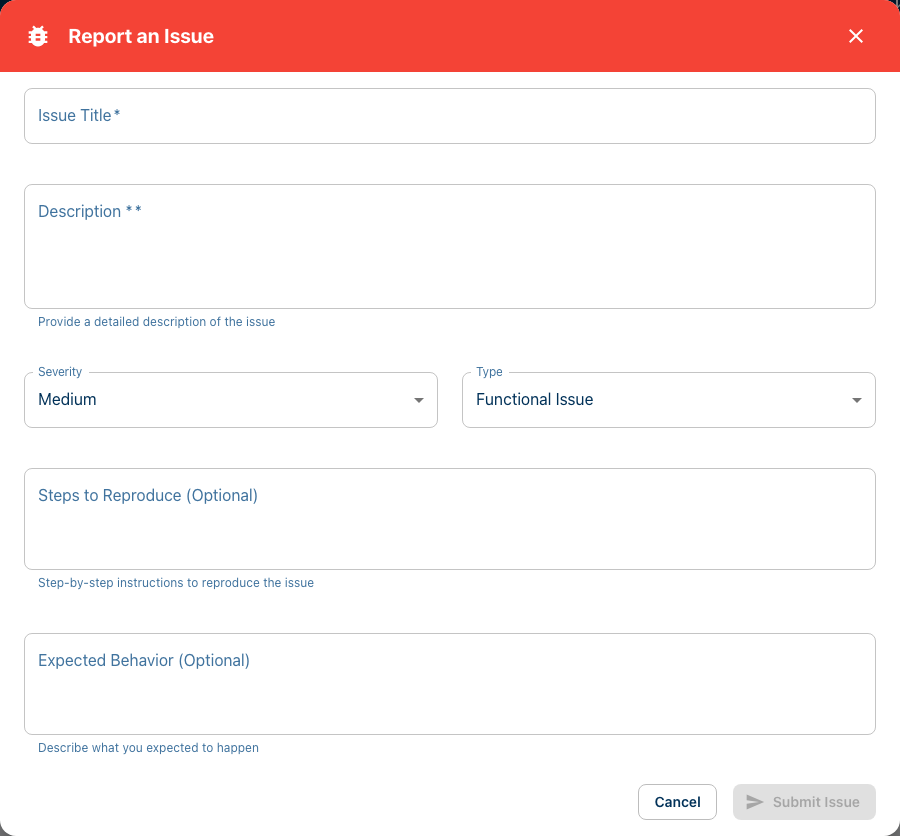
- Go to Support → Submit Ticket
- Fill out the form:
| Field | What to Enter |
|---|---|
| Subject | Brief description of the issue |
| Category | Type of problem (bug, question, etc.) |
| Priority | How urgent (low, medium, high) |
| Description | Detailed explanation |
| Attachments | Screenshots or files (optional) |
- Click Submit
Writing Good Descriptions
Help us help you faster by including:
What happened:
"When I click 'Add Certification', nothing happens."
What you expected:
"The certification form should open."
Steps to reproduce:
"1. Go to My Certifications 2. Click Add Certification 3. Nothing appears"
Your environment:
"Chrome on Windows 11" or "Safari on iPhone"
Attaching Screenshots
Screenshots help tremendously:
- Capture the issue on your screen
- Click Attach File in the ticket form
- Upload the image
How to capture screenshots:
- Windows:
Win + Shift + S - Mac:
Cmd + Shift + 4 - iPhone:
Side Button + Volume Up - Android:
Power + Volume Down
Viewing Your Tickets
Ticket History
To see tickets you've submitted:
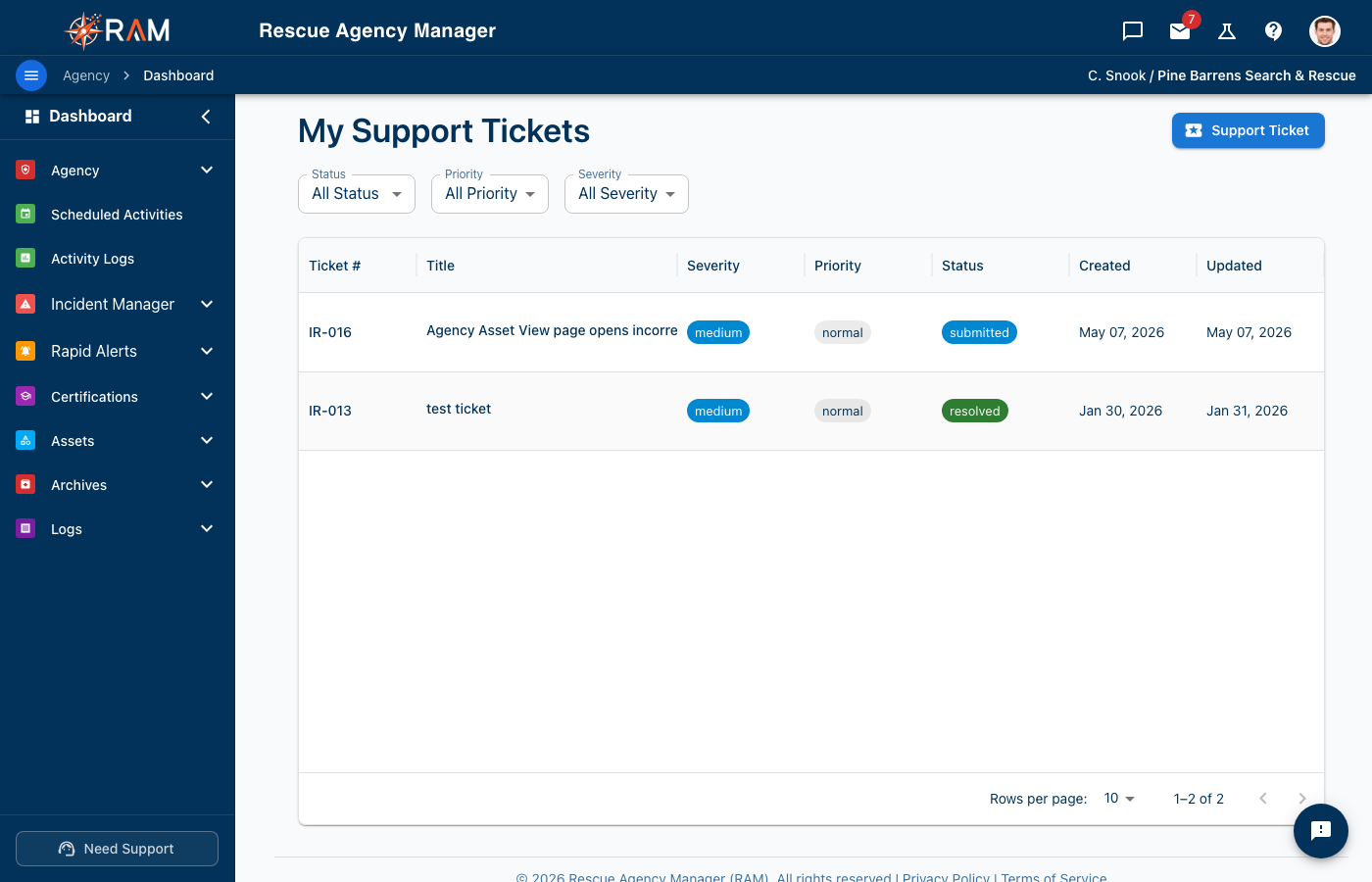
- Go to Support → My Tickets
- View your ticket list
Ticket Status
| Status | Meaning |
|---|---|
| Open | Submitted, awaiting review |
| In Progress | Being worked on |
| Waiting on You | We need more information |
| Resolved | Issue has been fixed |
| Closed | Ticket is complete |
Adding to a Ticket
If you have more information:
- Open your ticket
- Add a comment
- Attach additional files if needed
- Submit your update
Requesting New Features
Have an idea to make RAM better?
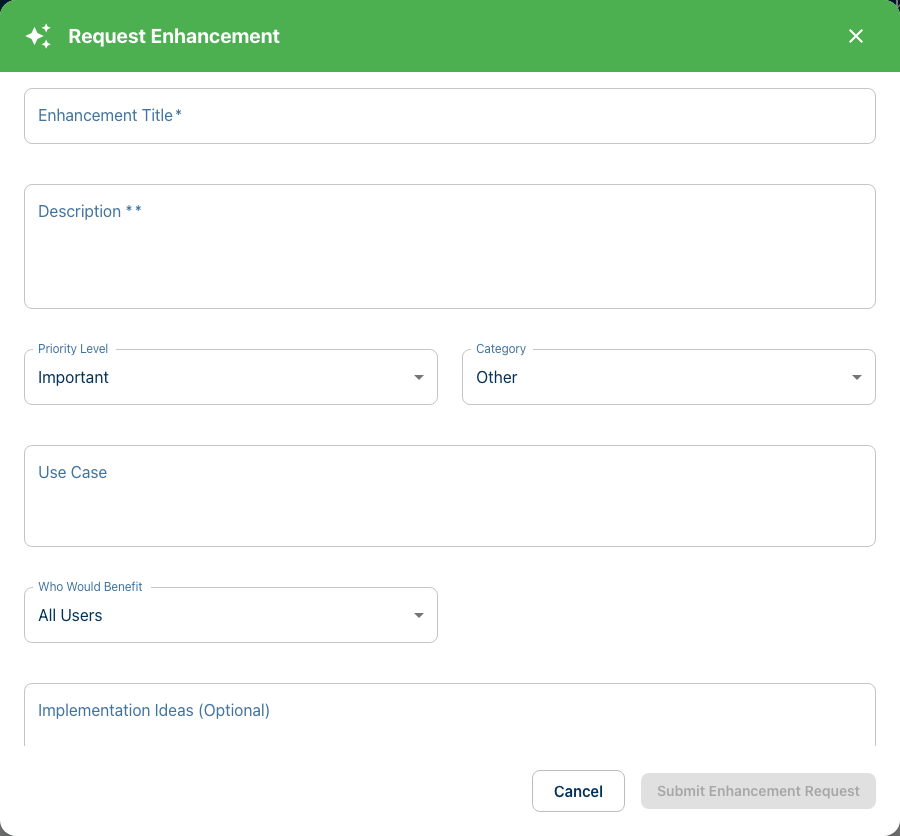
Submit an Enhancement Request
- Go to Support → Enhancement Requests
- Click Submit Request
-
Describe your idea:
- What feature do you want?
- Why would it help?
- How would you use it?
-
Submit
Voting on Requests
See what others have suggested:
- Browse existing enhancement requests
- Vote on ideas you support
- Add comments with your use case
Popular requests help us prioritize development.
Agency Administrator
For many issues, your agency administrator can help:
When to Contact Your Admin
- Questions about your agency's setup
- Permission or access issues
- Help with agency-specific features
- Adding certification templates
- Enabling features
Finding Your Admin
Your administrator's contact may be available in:
- Agency Profile information
- Team roster
- Your invitation email
Self-Service Troubleshooting
Try these before submitting a ticket:
Page Not Loading
- Refresh the page (
F5orCmd+R) - Clear cache in browser settings
- Try another browser (Chrome, Firefox, Safari)
- Check internet connection
Can't Log In
- Verify your email address is correct
- Try Forgot Password to reset
- Check for typos in password
- Clear browser cookies
- Try incognito/private mode
Missing Features
- Ask admin if the feature is enabled
- Check if you have the right permissions
- Verify the feature exists (check documentation)
Not Receiving Emails
- Check spam/junk folder
- Verify email address in your profile
- Add
notifications@rescueagencymanager.comto contacts - Ask admin about notification settings
Emergency Issues
For critical problems affecting your entire agency:
High Priority Issues
- Cannot access RAM at all
- Data appears missing or corrupted
- Security concerns
What to Do
- Submit a ticket marked High Priority
- Include "URGENT" in the subject
- Describe the impact on your operations
- Provide contact information for quick response
Feedback
We welcome all feedback, not just problems:
Positive Feedback
Let us know what's working well! It helps us know what to keep and improve.
General Suggestions
Even if not a formal feature request, share your thoughts through:
- Support tickets (category: Feedback)
- Enhancement requests
- Direct contact
Contact Information
Email
support@rescueagencymanager.com
Website
rescueagencymanager.com/support
Documentation
You're already here! Browse the guides in the sidebar.
Response Times
We aim to respond to tickets within:
| Priority | Target Response |
|---|---|
| High | Same business day |
| Medium | 1-2 business days |
| Low | 2-3 business days |
Response times may vary based on ticket volume and complexity.
Related Documentation
- Dashboard Overview — Navigate RAM
- FAQ — Common questions answered
- Account Settings — Manage your account